Free demo
As a video surveillance systems installer, you know this well: most problems in video analytics projects don’t appear on day one. They surface weeks later, when false alarms start piling up, frustrated customers begin calling, and the monitoring center loses confidence in the system. This often leads to urgent adjustments, additional site visits, and unnecessary stress.
And almost always, there is one common factor behind these issues: the installation didn’t take into account how artificial intelligence actually works or the specific conditions of the environment where it must operate.
In this article, we answer the most common questions we receive from installers and monitoring centers, and we share a practical checklist to help your projects work right from day one. And if you want to take it a step further, you can also try our 100% free CCTV project simulator: Site Planning Tool, designed to help you plan before you install.
Does camera positioning really affect video analytics?
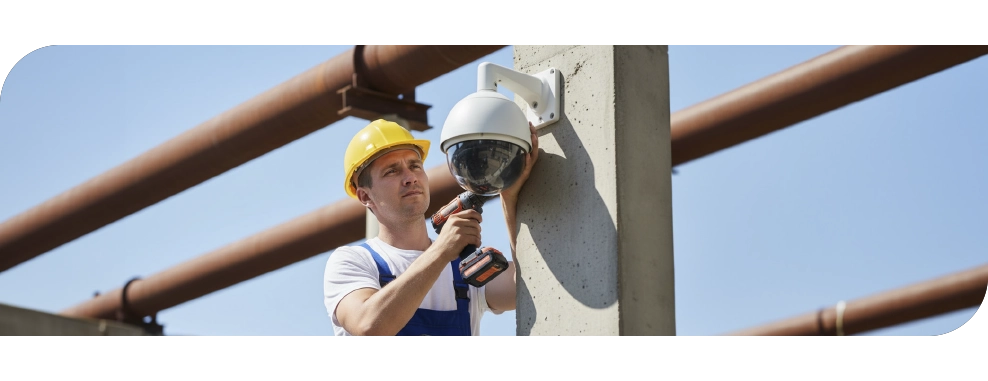
Yes—absolutely. Video analytics is not just about “installing a camera and walking away.” For analytics to work properly, the CCTV camera must be positioned correctly:
- Cover the critical area without obstructions
- Avoid complex backgrounds that may confuse the scene
- Install the camera at the proper height (for example, 3 meters or higher for greater coverage and vandal protection)
Planning ahead with tools like Site Planning Tool allows you to simulate the installation and identify blind spots before installing anything. A poorly positioned camera or an extreme viewing angle will cause the AI to “see noise,” increasing resource consumption and multiplying false alarms—exactly what we want to avoid.
Why Do Customer Expectations Fail?
In many cases, it’s because more is promised than the technology can deliver in a real-world setting. Expectations are often influenced by news, exaggerated marketing, or even movies. Here, the installer plays a key role: clearly explaining what analytics can and cannot do, and why it’s necessary to optimize it for each scenario.
When the customer understands that every environment is different and that the setup requires fine-tuning, trust in the system increases, and future frustrations are avoided.
As an Installer, Is It Enough to Just Install and Leave?
No. Commissioning doesn’t end when the system is powered on. The environment is constantly changing—seasons, lighting, vegetation, and how the space is used. That’s why it’s essential to periodically review and adjust cameras, rules, and sensitivity settings.
A system without maintenance will eventually generate false alarms or, even worse, miss real events.
What Happens When Lighting Changes Constantly?
Sudden changes in light, shadows, or reflections—especially at dawn and dusk—can trigger false alarms if the system isn’t properly calibrated. That’s why it’s recommended to:
- Calibrate the cameras for both day and night
- Check focus and zoom in both scenarios
- Ensure the video analytics system can detect intruders even in low-light conditions
What If There Are Frequent Moving Elements, Like Trees or Traffic?
This is a very common situation: branches moved by the wind, nearby traffic creating light reflections and constant movement, or changing shadows. If the scene isn’t properly defined, AI can interpret these as relevant events.
The solution involves:
- Correctly defining areas of interest and exclusion zones
- Setting up intelligent detection rules
- Adjusting sensitivity according to the expected activity in the environment
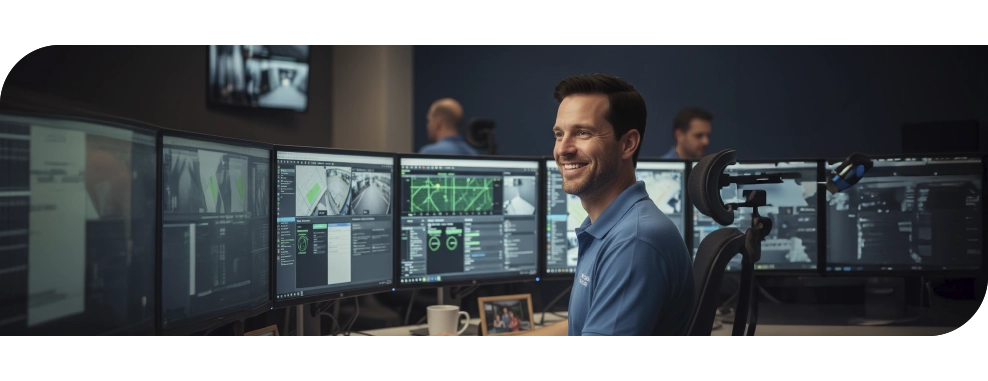
How Can You Avoid Overloading the CMS Operator?
The key is to send only truly actionable events. An operator who receives hundreds of false alarms a day may end up ignoring even the important ones—or, in the worst case, disabling cameras.
Modern video analytics systems like DFUSION drastically reduce false alarms and allow CMS to work with:
- Verified alarms
- Contextual, real-time images (ClikThru)
- Clear and useful notifications
What Mistakes Are Common When Integrating Older Systems?
One of the most common errors is failing to check compatibility with VMS, control platforms, alarm systems (PSIM/CMS), or older-generation cameras.
That’s why our video analytics solutions are designed to be compatible with all types of hardware, regardless of brand or model, and with any VMS or PSIM platform. This allows DFUSION to be integrated without replacing existing equipment and ensures that the CMS receives reliable, actionable events from day one.
What Happens If Someone Tamper With a Camera?
DFUSION incorporates AI algorithms to detect CCTV camera tampering. If a camera is moved, covered, or damaged, the system sends an immediate technical alert to the operator or CMS, allowing action before a real incident occurs. Additionally, with DFUSION, this feature can be configured according to the environment and camera type:
- Adjust sensitivity to avoid false alarms from vibrations or wind
- Define which events trigger immediate notifications and which are only recorded in the technical log
- Integrate alerts directly into the CMS or VMS platform
This way, security doesn’t rely solely on detecting intruders but also ensures that cameras are always operational and protected.
For a CCTV Installation Without Errors
Avoiding the most common mistakes in video surveillance projects with AI video analytics isn’t just a technical matter. It’s key to delivering reliable projects, reducing support calls, and maintaining the trust of clients and CMS.
With proper planning, correct camera placement, post-installation adjustments, and ongoing monitoring, your installations will operate correctly from day one, minimizing false alarms and future issues.
To help you with this process, we’ve prepared a practical, downloadable checklist for installers, covering everything you should review before, during, and after installation—from planning to final testing.